


Mu Online Server
0.97k on Linux.
MuEmu natively ported to Linux with Docker, MySQL and a full web admin panel, plus its own client for Windows and Linux. No MSSQL. No DLL.
Quick start
# 1. Clone the repository
git clone https://github.com/EmanuelCatania/Mu-Linux-0.97k.git
cd Mu-Linux-0.97k

# 2. Configure environment variables
cp .env.example .env
# Edit .env: PUBLIC_IP, MYSQL_PASSWORD, SESSION_SECRET

# 3. Start the stack
docker compose -f docker-compose.images.yml up -d


Why Mu Linux 97K?
Native Linux
Ported from Windows to Linux with epoll and MySQL 8.4 instead of MSSQL. No Wine, no VM, on amd64 and ARM64.
Docker ready
Four Docker Hub images: server, web, editor and MySQL. One docker compose up and it's running. Pterodactyl eggs included.
Windows and Linux client
Client rebuilt from the 0.97k source, with everything Main.dll did built in. No DLL, no InfoEncoder.
Full web panel
Admin panel with graphical editors for items, monsters, shops, spawns, drops, quests, rates and more.
Server-side customs
Items up to index 511 per section, sets, wings, effects, pets and monsters. The server sends the definitions; the client only carries the models.
Open Source
Public source code on GitHub. Based on Kayito's sources. Free to use, modify and deploy.
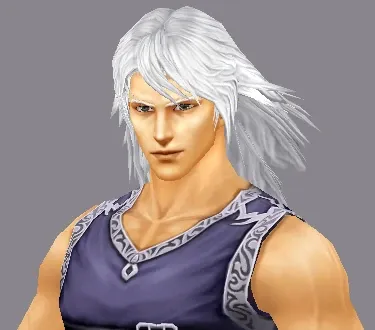
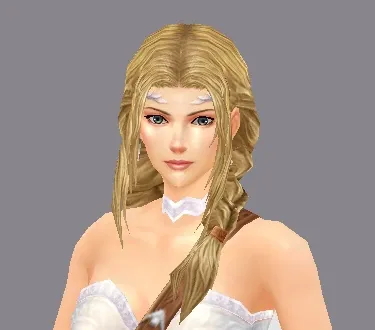
Character classes
4 classes available in Mu Online 0.97k


Available versions
0.97k server and client, Phase 3 release: the client runs natively on Windows and Linux. Use the same version on both sides.
Read the docs →Work is ongoing to port other server versions. Star the repository to stay updated.
GitHub →Game client
🖥️ Windows and LinuxThe client is a C++ port of the original 0.97k main.exe, with everything Main.dll did built in. Your server address is compiled in: each server builds and distributes its own client.
- 1
Set your server address in
src/Config/ServerConfig.hIP or domain, ports and server identity
- 2
Build for
Windows · Linuxwith Visual Studio, CMake or GitHub Actions from a fork
- 3
Distribute to your players
the client folder on Windows or the Linux package
The DLL client, InfoEncoder and ClientInfo.bmd are deprecated.
Full client guide →Custom items, wings, effects, pets and monsters are defined by the server: the client only needs the models.
How to add customs →Build
ServerConfig.h
address + identity
CMake / Visual Studio
Windows x86 or Linux x86
main.exe / main
+ Data folder
Mu Online 0.97k
connects to your server

This project is 100% free and open source.
If it was useful to you, consider supporting it with a donation.